

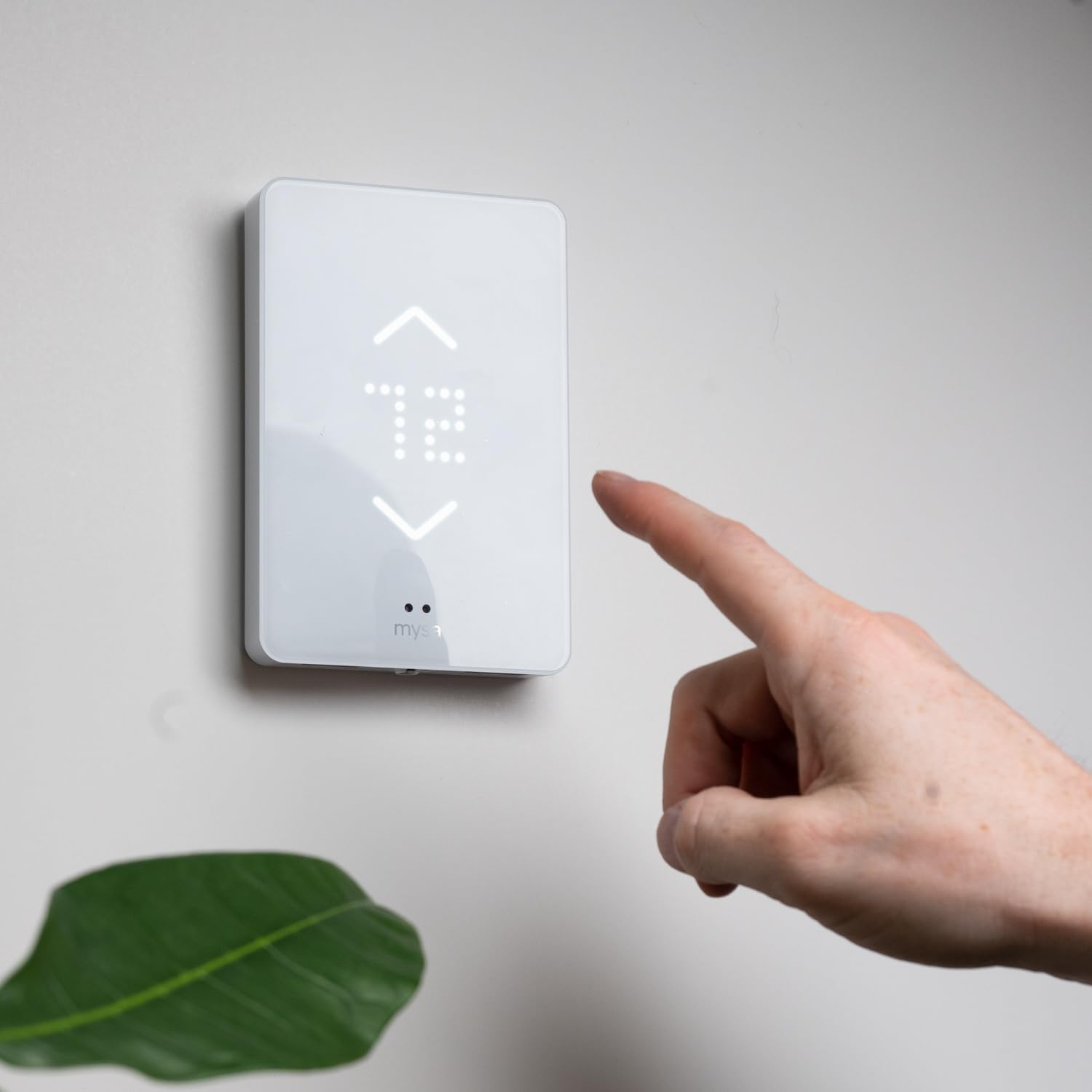
Mysa Smart Thermostat for Electric in-Floor Heating 240V | Class A GFCI | WiFi Programmable | App & Voice Control with Alexa, Google, Siri | No Subscription | Easy Install
$28.99
Related Products






Product description


1 Uses
2 Control
3 Comfort
4 Convenience
The video showcases the product in use.The video guides you through product setup.The video compares multiple products.The video shows the product being unpacked.


Control Your Electric Heating and Cooling With Mysa Smart Thermostats
Add to Cart
Add to Cart
Add to Cart
Customer Reviews
4.1 out of 5 stars 323
4.4 out of 5 stars 1,878
4.5 out of 5 stars 1,266
3.6 out of 5 stars 440
Price
$189.00$189.00
$144.99$144.99
$139.00$139.00
—
Size (mm)
130 x 90 x 19
143 x 97 x 28
130 x 90 x 19 (40% Smaller)
110 x 75 x 15
HVAC Control
Two mechanical relays
Solid state relay (Triac)
One mechanical relay
Infrared commands
Pairing
Wifi, NFC
Wifi
Wifi, NFC
Wifi, NFC
Audible Touch Feedback
✔
✘
✔
✔
Geofencing
✔
✔
✔
✔
Energy Insights
✔
✔
✔
✔
Scheduling
✔
✔
✔
✔
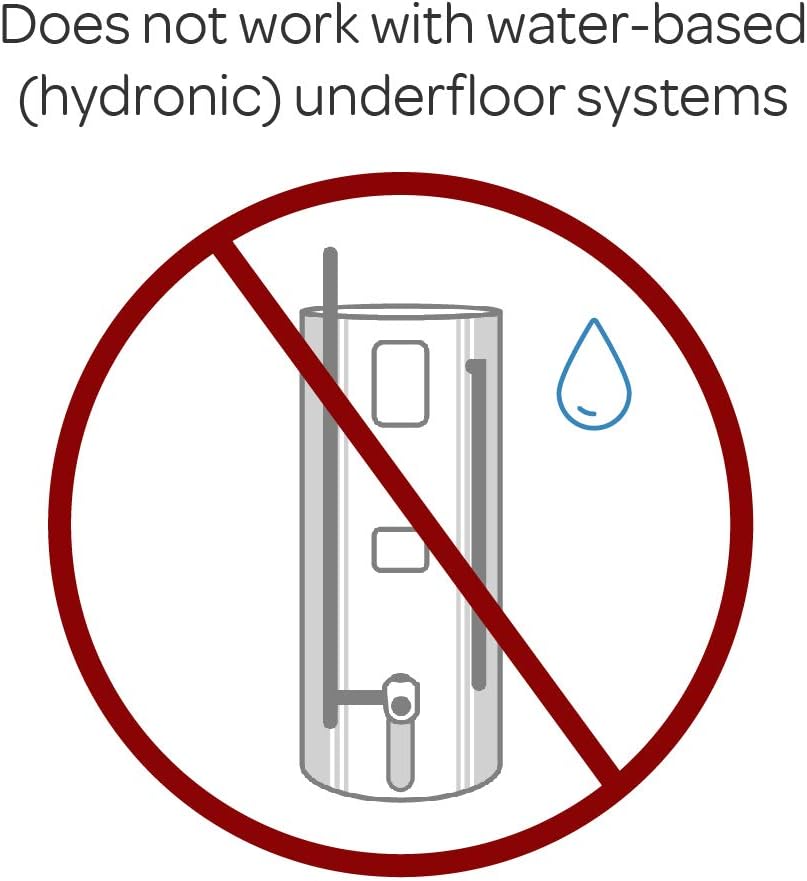
Make Your In-Floor Heating Smart – for high/line voltage systems. Mysa works with 120-240V electric in-floor heating systems and includes a built-in Class A GFCI. Does not work with hydronic or water-based systems.
10 reviews for Mysa Smart Thermostat for Electric in-Floor Heating 240V | Class A GFCI | WiFi Programmable | App & Voice Control with Alexa, Google, Siri | No Subscription | Easy Install
Add a review

$28.99
Bob G. –
Works Amazing!
One of the best thermostat products I have ever purchased. I have several of them which I use to control Cadet 240v electric heaters in my garage and cabin. They are very well designed, easy to install and set up and have been very reliable. I appreciate the ability to monitor not only the heating usage but also the power drawn. They are very easy to integrate into Home Assistant, HomeKit, or just standalone with the Mysa app.
Amazon Shareholder ’99 –
One tricky part of install
Bought the Mysa In-Floor thermostat to replace a Schluter Ditra-Heat RT (no wifi). Main problem I was trying to solve is that the Schluter sometimes turned on by itself after a power failure, and in a remote house that was a big problem. Mysa is a much more elegant thermostat. Easy to install, simple interface. Obviously with WiFi, can be controlled remotely (Schluter has a wifi version but felt Mysa more elegant for a residential installation). Switching & installing was easy with the exception that connecting the floor heater sensor to the thermostat terminal was surprisingly difficult. Sensor wire is typically very thin and malleable, and the terminal port is sort of awkward to get to (and tiny), so threading the spindly wire into the terminal was a challenge. Once done though, connected to wifi and the android app seamlessly, and I can now remote control and turn off (and on) the floor heater. Three more suggestions (1) Mysa should try to help identify the proper floor sensor setting by showing a list of floor heater makers and the appropriate sensor settings (2) Mysa should include a tiny screwdriver for the floor sensor terminal screws, they are much smaller than what a typical household screwdriver would fit, and (3) their documentation for the app is in the form of faqs and can be sort of not helpful for a holistic overview or for specific questions. Granted the app is fairly intuitive, but for example, for the simple question of “how do I turn off the power to the floor heat”, it is not completely clear what actually achieves that. There is a FAQ answer on the website, but those instructions don’t actually match the app (maybe it matches the iOS app?).
railerswim –
Easy to set up – very picky on network settings for Home Kit integration
Just installed this today, so far it works fine. Takes a while to heat up my floor but that may just be an issue with the heater mesh install which was done before I bought the house I’m in. Previous thermostat was a suntouch from 2004 that was crumbling apart and had a very bad coil whine.Install was easy pretty easy. I like that there’s a plate to install and the brains are on a removable faceplate. It made the install very easy. Before you install this (but right after you remove your current thermostat if you are replacing it) measure the resistance of your thermistor/floor temp probe, you’ll want to validate the temp probe resistance setting after you add the thermostat to the app. The instructions do not point this out.Adding to homekit was a nightmare. Definitely set up the thermostat from the app using the homekit method. But you definitely need to have your wifi network properly configured. With the way most smart home devices work you can rarely blame the manufacturer unless if they’re using a terrible bluetooth radio and pairing with a hub or appletv (I’m looking at you 3rd gen august smart locks).Firstly you should be using a separate network for IoT devices, for security and compatibility purposes. You can google why you should have your IoT devices segmented away from you main network. There are plenty of videos and articles that will explain this in leighman’s terms, and there may be videos for your specific (or similar) router on how to set this up mostly.These are the settings that I needed to have for my IoT network to get this to connect properly via homekit. I am using a Ubiquiti Unifi based network with a UDM pro and 3 Access Points.- Turn off IGMP snooping- Turn on Multicast DNS- Only have the 2.4 GHz band turned on for the IoT wifi network- Both multicast management options unchecked- Uncheck minimum data rate control- Have the 2.4GHz density slider all the way over to 1Mbps- Security protocol set to WPA2 (another reason to have a separate IoT network)This is using an ESP32 at least from what you can see on the back of the faceplate as the chip is there. Overall I’m confident in this device and it looks great in my master bathroom.All things said and done, it works great so far! I will update this review after a while or if I run into major issues.
Nathan Cobb –
Well designed, easy to install
Very well designed thermostat, with a really slick and smooth installation.Of course, before installing it, I had to take a look inside. It’s really well designed, and also contains a lux sensor and a humidity sensor, which I did not realize when buying (but are a nice plus). An ESP32 is used for networking, so it should be pretty easy to convert to ESPHome if/when this company goes bankrupt. The device also works great with HomeAssistant for local-only control. I was notified the device existed, I typed in the code from the manual, and now I can access it & automate it.On the other hand, the app, while functional, has a couple dark patterns. You are unable to use the device without an account, which is entirely unnecessary since the device works just fine without the internet. It also subscribes you automatically to their pointless mailing lists, and doesn’t give you an option to opt-out on signup.
IAN S. –
Worked good at first…
I really want to like this product but it stopped working after approximately 10months and no longer functions.At first it would power off and boot right back up, now it doesn’t work at all. I constantly get notifications that is offline and do not see a support function on this product.@Mysa if you are reading this please contact me, I need some support
Wilaud –
I recently upgraded my home with the Mysa Smart Thermostat for Electric Floor Heating, and it has been an absolute game-changer. From installation to daily use, every step has been seamless, enhancing my home’s comfort and energy efficiency.Installation & Setup: The Mysa thermostat was surprisingly easy to install, with clear instructions that guided me through the process. I’m not particularly handy, but I managed to set it up without any professional help. The setup with my Wi-Fi network and smart home system was equally straightforward, allowing me to control my heating from anywhere right away.Design & Usability: The sleek, minimalist design of the thermostat adds a modern touch to my space without being intrusive. The interface, both on the device and the mobile app, is intuitive, making it easy to adjust settings, program heating schedules, and monitor energy usage.Smart Home Integration: Integration with my smart home ecosystem has been flawless. I can control the thermostat with voice commands through Amazon Alexa and Google Assistant, which is incredibly convenient. The ability to set scenes and routines enhances the overall smart home experience, ensuring my floors are warm when I wake up or come home.Performance & Energy Savings: Since installing the Mysa thermostat, I’ve noticed a significant improvement in the comfort of my home. The floor heating is more consistent, eliminating cold spots and providing a cozy warmth. Moreover, the energy usage insights have helped me optimize my heating schedule, leading to noticeable savings on my electricity bill.Customer Support: On the one occasion I had a query regarding the scheduling feature, Mysa’s customer support was prompt, friendly, and helpful, quickly resolving my issue.In conclusion, the Mysa Smart Thermostat for Electric Floor Heating is a standout product that has improved my home’s comfort and efficiency. Its ease of use, smart features, and energy-saving capabilities make it a worthwhile investment for anyone looking to upgrade their floor heating system. Highly recommended!
Mike Jr. –
July 2025… updateI just purchased my second Mysa for in-floor heating. Setup was flawless (now that I have ‘split’ my wifi…see below entry from my first review) up until failed attempts connecting to Wi-Fi. I rechecked network: 2.5ghz and password…still no luck. Why? The problem….My VPN (Virtual Private Network) connection. The moment I disabled Express VPN…bam…connected. Once setup was complete I reconnected VPN…no problem…works great like the 1st one I purchased last year.Hope this posting helps anyone else with connection issues… avoid the headache…turn off your VPN to complete setup.Cheers…Mike 😁Excellent follow-up & help from Manufacturer…who is Canadian. You do need a 2.5 GHz internet connection to function with Wifi. I have Starlink internet…which has 5 GHz (default) & 2.5GHz capabilities. You will need to ‘split’ the network… simple process in Starlink settings…for the thermostat to work.
Shaun Sauve –
Easy installation, great esthetic, and good streamlined app UI.As of this writing (2024), the app includes basic cost tracking that, given a single $/kwh will summarize your heating expense over a period. Would be spectacular if they augmented it to include different pricing periods, and take it a step further to enable (even a basic) algorithm that tries to optimize usage during off-peak periods.Loses one star because, from what I’ve read, they don’t intend to open up any kind of API. I can’t begin to guess how home automation systems will evolve over the years, but if they opened up the platform I’d feel re-assured it will work with anything that comes along in the future.
Dave –
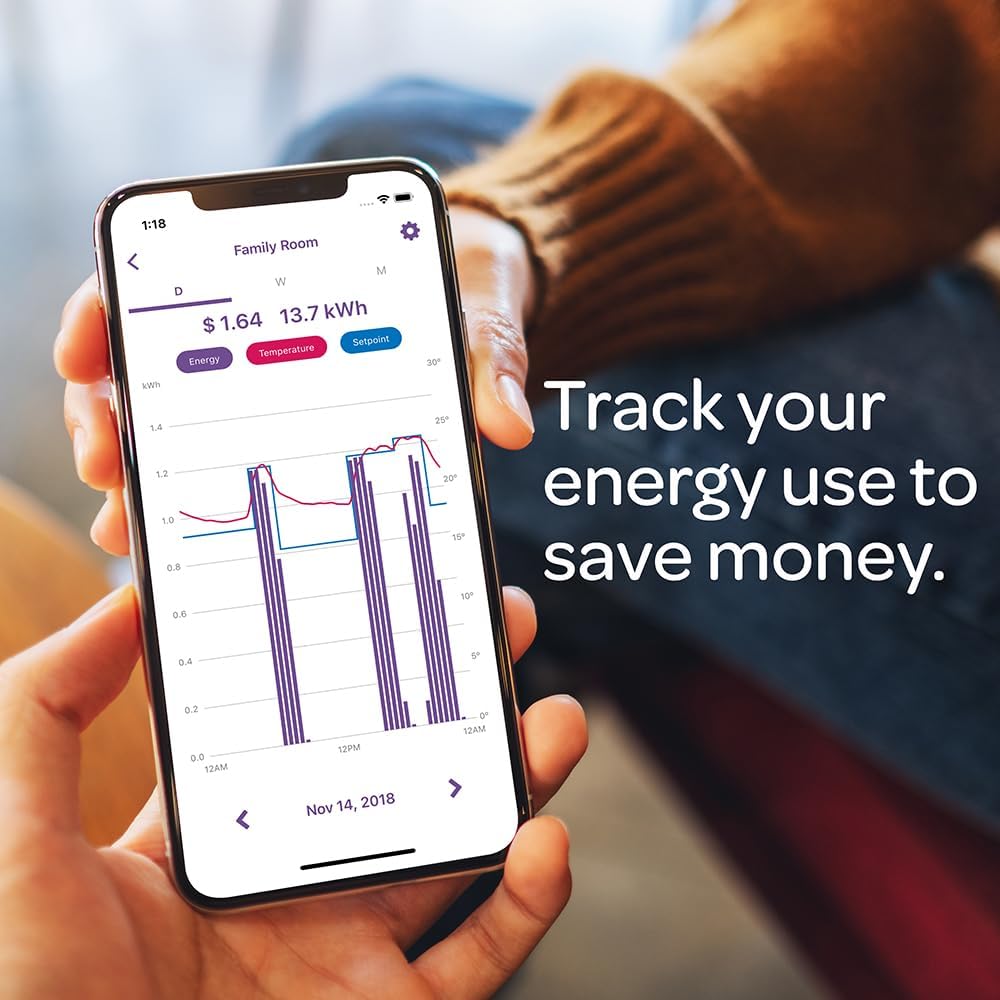
The Mysa in-floor heating thermostat was pretty simple to install. It was to replace a non-functioning Nuheat thermostat with the Mysa unit. The in-floor heating that I’m using is a 120V based Nuheat pad that’s 21 years old. I didn’t use the included Mysa in-floor thermometer and just used the original Nuheat provided temperature sensor. I didn’t even have to configure the voltage or the temperature sensor resistance. The Mysa unit figured it out for me.What’s nice is that I have 3 Mysa baseboard thermostats and now this in-floor heating thermostat in a 1 bedroom basement suite. I don’t have a separate electrical meter, but, the iOS/Android app allows both me and my tenant to monitor the electical usage. I did that by using the provided ‘sharing’ capability in the app. Only thing that I needed to do was to indicate my $/KWH in the app and the app shows not just the KW consumpution in realtime, but, the cost incurred daily/weekly/monthly for each of the thermostat. So, the tenant just includes the additional electrical/utility amount to his rent at the end of the month. The transparency that this provides is great as there is no guessing of the electrical usage as it relates to heating the suite.
Lkm –
Bought to replace a 20 year old thermostat for my in floor bathroom heating. Wasn’t sure I needed a wifi enabled floor thermostat but the price point made the decision to get it easy. Installed easily though it took me 2 tries to get the existing floor sensor to work, but did it and didn’t need tech support. Connected easily to my iPhone and wifi system and even got the geofencing to work. I’ve probably changed my schedule more in one month than I did over 20 years with my previous model, but it’s easy and works well. I prefer the face plate light on but it does throw a bit of light (even at 10% brightness) so I close the bathroom door at night