

BOOX Tablet 10.3″ Note Air 5 C 6G 64G E Ink Tablet Color ePaper Notebook
$64.99
Related Products




Product description
The video showcases the product in use.The video guides you through product setup.The video compares multiple products.The video shows the product being unpacked. Note Air 5 C Merchant Video


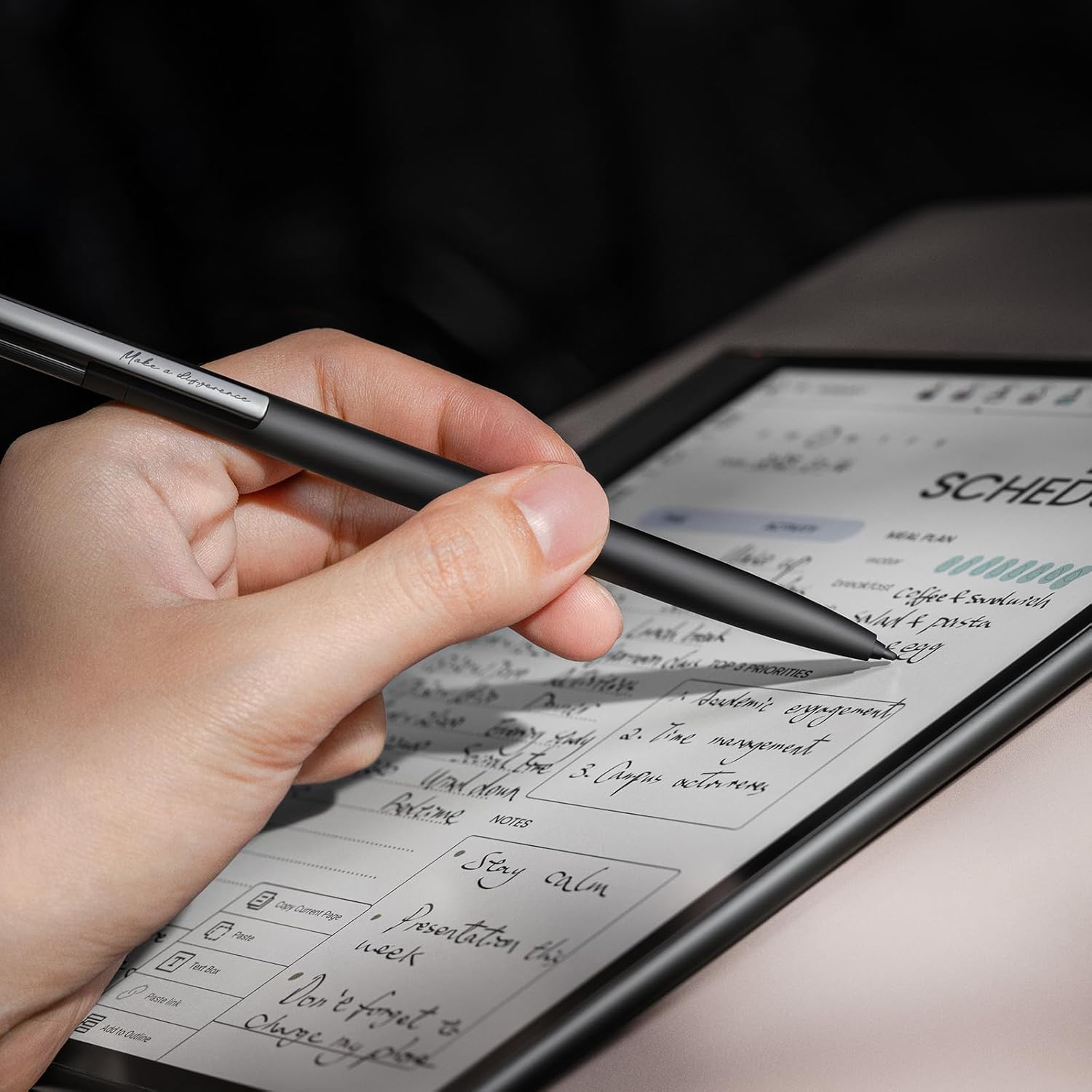
Screen: 10.3″ Kaleido 3 (4,096 colors) Carta 1200 glass screen with flat cover-lens. Resolution: B/W: 2480 x 1860 (300 ppi). Color: 1240 x 930 (150 ppi). Touch: BOOX stylus touch (4,096 levels of pressure sensitivity) + capacitive touch. CPU: Octa-core + BSR RAM: 6GB ROM: 64GB Connectivity: Wi-Fi + BT 5.1 Front Light with CTM (Warm and Cold) G-sensor for Auto Rotation
OS: Android 15 Document Formats: PDF, CAJ, DJVU, CBR, CBZ, EPUB, EPUB3, AZW3, MOBI, TXT, DOC, DOCX, FB2, CHM, RTF, HTML, ZIP, PRC, PPT, PPTX Image Formats: PNG, JPG, BMP, TIFF Audio Formats: WAV, MP3 Supports 3rd-party apps
Button: Power Button with Fingerprint Recognition USB-C Port (Supports OTG or use as an audio jack) microSD Card Slot Built-in Dual Speakers Built-in Microphone Battery: 3,700mAh Li-ion Polymer Dimensions: 225 x 192 x 5.8 mm (8.9″ x 7.6″ x 0.23″) Weight: Approx. 430 g (15.2 oz)
Dark, gray, or wrongfully believed low resolution screen : All Eink products used Kaleido 3 color e-ink technology, which currently has inherent limitations and share the same darker or grayer screen than LCD/LED ones. This is a characteristic of all e-ink products, not a defect. If it doesn’t meet your expectations, you may return the product under our return policy. However, please note this is not considered a product fault.
Over 99% of mobile apps are optimized for LCD/OLED screens with: High refresh rate expectations; Color-rich interfaces; Animation-heavy designs; These design choices conflict with E Ink’s natural strengths in static content display.Energy Efficiency Trade-off: E Ink relies on electrophoretic particles that physically move to form images, resulting in slower refresh rates, makes it inherently unsuitable for conventional app interfaces designed for always-powered displays. If the buyers are not satisfied, they can apply for return or exchange, but it cannot be regarded as a malfunction.
7 reviews for BOOX Tablet 10.3″ Note Air 5 C 6G 64G E Ink Tablet Color ePaper Notebook
Add a review

$64.99
Josue –
Amazing product for those with adhd
Amazing product specially for those with adhd This thing is awesome I still get distracted but less often. Feels more productive than something like the remarkable because of the access to the play store.Pros:Fast for a e-ink tabletAccess to play storeNice sizeColor displayCan use kindleBuilt quality is phenomenalScreen feels niceCan read mangasCons:Brightness without backlight is badStreaks are commonColors don’t match (remarkable’s)Remarkable feels faster (but this is better)Battery life is ok (others are much better)(Base storage makes no sense, yes I know you can use a micro sd card.)Writing feel could be better (again like the remarkablePen is mehSummary:Overall a much better product than most competitors, at a price that actually makes sense. Pen is meh, however pro tip you can use pretty much any Wacom pen.
Travis Southerland –
Overall, a great tool for digital writing
This was an upgrade from a Note Air 2. I love the colors but those come at a cost. The screen is much darker and where I almost never had to use the front light with the NA2, I always have to have the light on with the NA5C. This causes the battery to drain considerably faster than the NA2 did. It isn’t a huge problem since I can charge it every day or two and be fine.The only other issue I am having has to do with a little bug where the stylus doesn’t register after the device is woke up from sleep. Boox is aware of this and will hopefully patch it soon.I am enjoying having the more “Android tablet” style OS compared to the NA2 which was more notebook focused. Ghosting seems to have improved a lot too. The stylus doesn’t feel like ballpoint pen or pencil on paper, but more of a felt tipped pen. This is actually really nice and feels great to me. The removable storage cap isn’t my favorite change but I like having the extra nibs handy. A screw on cap without a clip would have been perfect.If you are looking for a color e-ink device, I think this is the best option on the market currently. I looked into the RMPP and the new Scribe but both were much more limited and locked into a specific ecosystem. The NA5C is much more flexible and allows for more customization.
Chicken Little –
Excellent execution — Hard to choose between this and the Supernote
I also have a SuperNote Nomad, so I will be comparing the two products. (If you’re wondering, I also gave the other product a 5 star review, because there are reasons you’d choose the Nomad over this product and vice versa.)First off, the 5C was really well executed. The fit and finish as soon as I unboxed it were impressive. It definitely was the product the company intended to build, and their engineering team hit all of their targets.Pros:- color screen: it straddles gimmicky and useful.- Android software: using the Nomad as a point of comparison, it was such a relief that I was able to download Android apps for this product.Other notes:1. Its default software load is what I’d call awkward. Unlike the Nomad, you don’t get a full complement of apps that shows off what the 5C can do out of the box. Their Notes app is custom, works great and shows just a few hints that it was inspired by Supernotes’s Notes app.2. The power button, which I use to turn it on after it goes into sleep mode, is indented a little bit. There isn’t much travel to that button, which worries me.About the Nomad. Supernote’s claim to fame is its patented screen technology, which allows it to have the best pens. They’re right. My first impression of the 5C’s stylus was that it felt a lot like pencil on rough paper: a bit scratchy.Supernote runs a custom OS. It comes with a good selection of apps, but you can’t add to them much. However, their apps are very well done and tuned to their hardware.In contrast, the 5C leans on its much more powerful processor to pursue the same ends. Because they support Android apps, they are at the mercy of those app developers.OS support — It has been said that Android tablets have traditionally suffered from the limitation that they can never upgrade their OS. Whether that curse continues with this product, we’ll wait and see. In the meantime, the Supernote has upgraded its OS/firmware at least a couple of times since I started using it.Supernote cloud account versus the Boox cloud account — In order to use the full feature set of your brand new 5C you’d need to have a Boox account. This wasn’t entirely pleasant. I wasn’t able to find a website on which I could create it with a computer, so I had to create it by pecking at the virtual keyboard on the 5C. (This is especially fun with passwords!)I don’t remember Supernote’s account creation being hard. Also, you have the option of syncing your notes into the cloud. Whether you create an account or not does not impact how the apps work, outside of syncing.Tablet UI Navigation — The 5C runs Android, so you have access to the same three buttons as on Android devices. It actually supports a fourth button, because it has the room. If you’ve used an Android phone, you can picture performing many of the same operations on the tablet. Supernote uses two stripes, which you’d swipe to pop up their compact home screen. Their implementation is so useful.AI and handwriting recognition — The 5C’s notes on their app support multiple layers. With the lasso tool, you can select a rectangle of your handwriting and ask the software to recognize your scrawls. Theirs works very well, but you have to have set up your account and I believe have to be online. In contrast, the Nomad’s layered notes do not support handwriting recognition so you’d have to use their single-layer note template. Once it has recognized your handwriting, it shows you a crude text editor and a virtual keyboard. Clearly this not how they wanted you to use your device, and I don’t use it that way either. (I already had a virtual keyboard on my phone. I bought the Nomad and the 5C so I can write!)I’ve reached the end of what I wanted to write in my review. As you can see, there are quite a few differences. They made different design choices along the way. For organizing my next week or checking my calendar or taking quick notes while I’m on the phone, I use my Nomad. For taking notes as I’m reading from my eBook and for reading my eBooks, I use the 5C.
Ron –
Don’t waste your time
After four hours of trying to find something I liked about it I gave up and returned it. A small part of my dissatisfaction may be because I am left left handed and I couldn’t find any position to hold it that was comfortable or functional. The on/off button is so sensitive I continually brushed it and it turned off. The pen magnetic hold which every review has covered is a hot mess. Reviews also mentioned ghosting when using the web or other applications so I expected that but it was ghosting when I used the note functionality. All of the descriptions and reviews say that you can sketch with it. The only functionality for sketching is in the note taking section and it’s a disaster. Even if everything about it functioned as advertised, the learning curve to operate it efficiently is outrageous. I spent hours reading reviews for this product, the remarkable tablet and the Kindle Scribe Colorsoft. I should have just followed my first thought and waited for the Kindle.
Tim Albrecht –
The Color Looks Good; a Little buggy; Battery Life May Not Be as Good as Note Air 2 Plus
I like the color feature. I like that it will take a micro SD card up to 2T. I do not like the stylus. The screen is darker than my Note Air 2 Plus, so I find myself turning the light on more. It does random things. For example it added about 40 pages to a notebook. Just started adding pages and wouldn’t stop. I had to shut it off so it would stop. Also, random menus pop up while writing in a notebook. I’m hoping they work out the bugs soon. It also seems to use a lot of battery power. My Note Air 2 Plus would last 2 weeks on a full battery. On this Note Air 5C, the battery was at 100% yesterday. Today it is at 87%. I’m using it as I normally would. I’ll update this review and the rating in a few weeks. I want to see how the battery life is after 3 – 4 weeks.
turki2017 –
I have used a Nova Boox 2 for five years and it was great; all my lessons, courses, and notes were on it. After this time, I decided to change because my device fell and its screen broke, knowing that it withstood many hits and did not malfunction, and even when its screen was scratched, it still worked well. I started looking for a new device, and after a period of reviews, I decided to buy this color tablet. I am sharing my experience after two weeks of use and telling you that seeing a color reader after this period was amazing, and the device is wonderful and fast. I added memory to it, and it was excellent, and transferring notes was smooth after connecting the device to the same account on the old device, and not much changed in the system interface, and it was easy. I tell you after this period of use, I do not regret buying it, especially after buying the Boox Pro 2 pen. As for its drawbacks, the pen that comes with it is large and I didn’t like it, so I bought the Pro 2 pen. Also, there is a screen shadow problem, but it disappears if you activate the quick refresh mode, which is not a big problem that affects the quality of the device and its system. Thank you, Boox, they did not disappoint me.
@KSA –
Below my expectations. Slow and does not do good display, specially for colored documents. I tried to use Google Play Books app, it was a disappointment. The pen is the worst by far. The battery is unbelievably low, it does not match the fact that this is an e-ink device. I can not switch to gray color mode. XPPen magic note pad was far better in my opinion than this device and far cheaper.